
VideoGen Review
VideoGen.io review: script-to-video & voiceover-to-video workflow test
Pricing Last Verified: 02/11/2026
At-a-Glance
Pricing Model: Freemium
Starting Price: 12 USD/month
Free Plan: Yes
Free Trial: No
VideoGen Pricing Details
VideoGen pricing breakdown (Pro vs Business), what’s included, and what’s paywalled.
Is VideoGen worth it for creators and marketers?
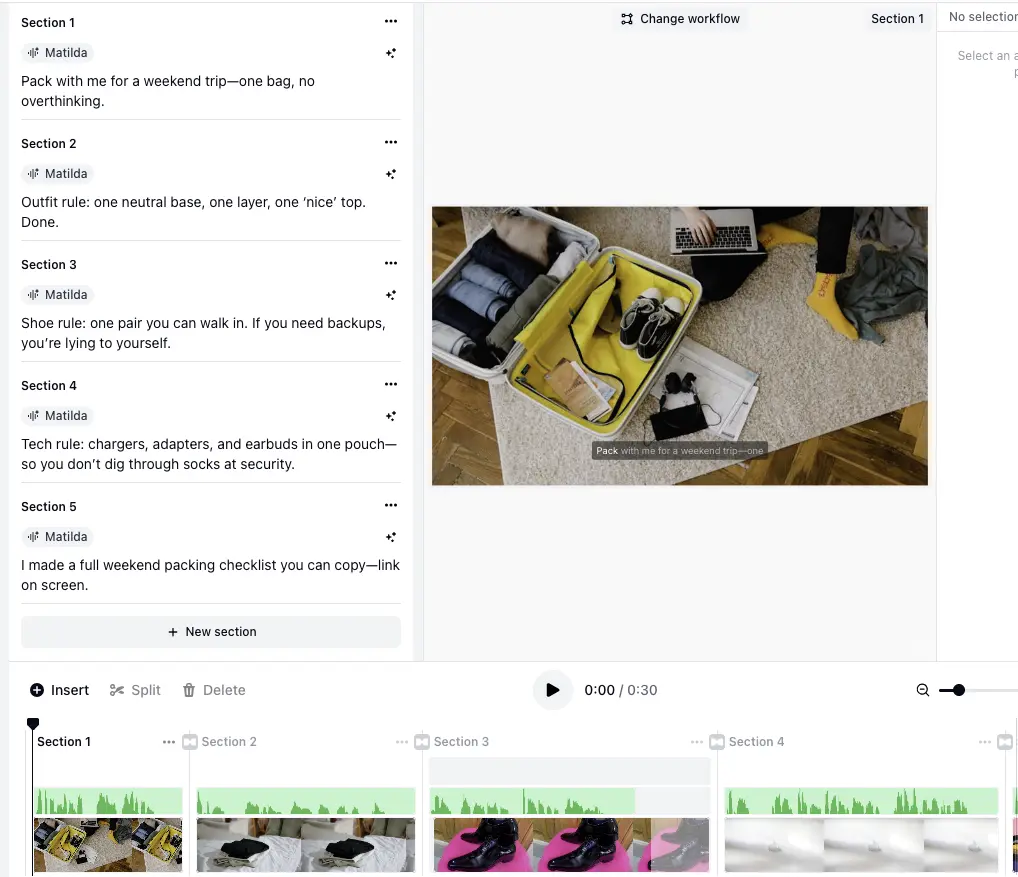
VideoGen is built around workflow-based video creation (idea, script, voiceover, recording, and upload/edit) plus an editor for refining the draft. It is most useful if you want a fast first cut and then plan to polish visuals, timing, and captions.
What can you make with VideoGen?
VideoGen supports creating videos from an idea, a script, a voiceover, a recording, uploaded media, or a blank editor project, depending on the workflow you choose.
What is the difference between Script to video and Voiceover to video?
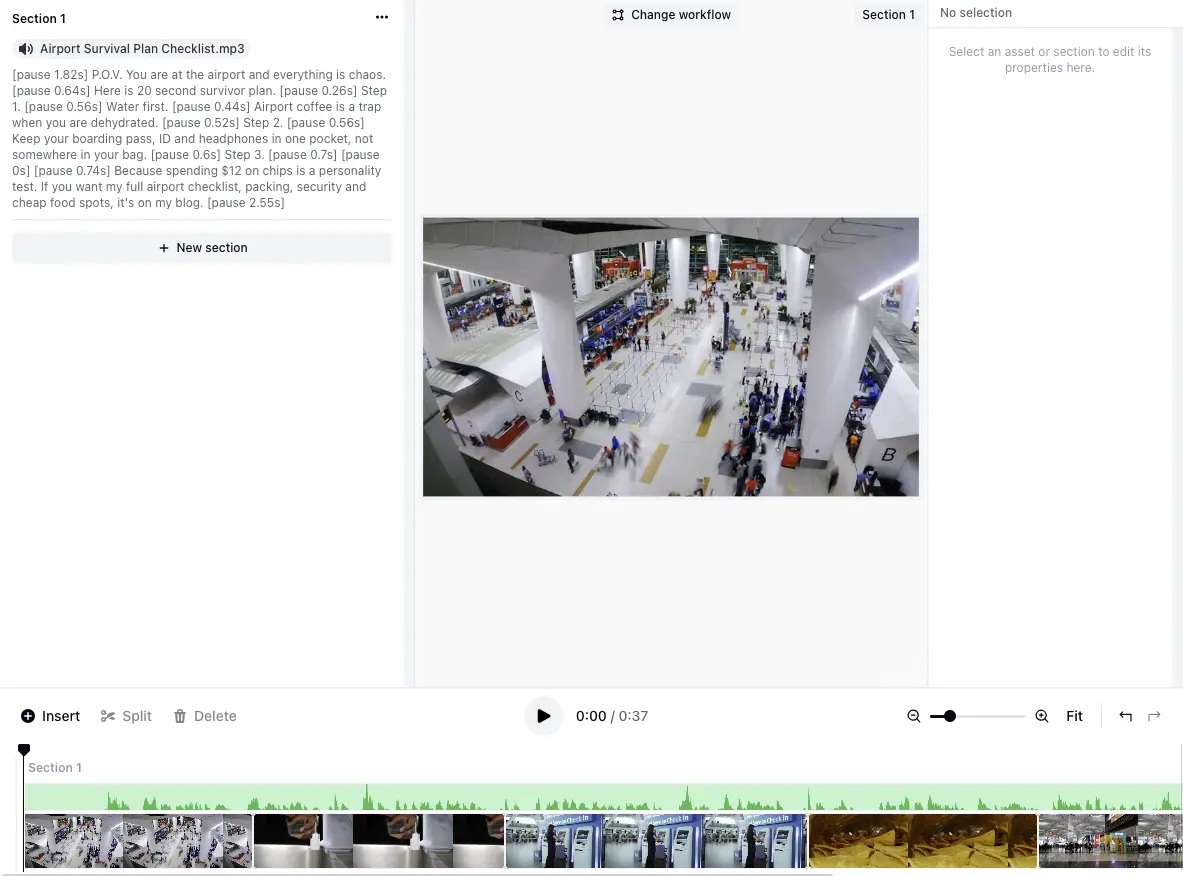
Script to video generates a draft video from a written script and section structure. Voiceover to video builds a draft around an uploaded narration track and aligns captions to the voiceover.
What’s included in Pro vs Business?
Plan tiers differ by usage limits and access to premium features. VideoGen’s Business tier lists additional capabilities such as premium media sources and access to features like AI avatars and generative AI video clips.
What media sources can VideoGen use for visuals?
VideoGen can source visuals and audio from built-in options such as free stock, AI-generated images, Wikimedia, and royalty-free music, with additional sources available on higher tiers.
Quick Take
VideoGen is a workflow-based video generator that can turn a script or voiceover into a draft video with visuals and captions. In our testing, the fastest path was generating a first cut and then swapping media and tightening pacing in the editor.
VideoGen Verdict
VideoGen is particularly useful when you want a structured way to go from script or voiceover to a first draft without starting from a blank timeline. In our hands-on review, splitting content into sections made Script-to-Video easier to steer, but the first output often leaned heavily on stock visuals, so a quick swap-and-trim pass helped a lot. Voiceover-to-Video produced a usable cut, but we hit a practical snag where a recording saved as .webm wasn’t accepted in the voiceover upload flow, so using a standard audio file format worked better. If you want “style,” AI Artist helps you generate stylized images as assets, but the Pro workflow doesn’t offer a simple toggle to restyle an already-generated video.
What to Watch Out For
-
Conflicting “free tier” claims vs. official pricing (Oct 2025)
As of Oct 2025, the official VideoGen pricing page emphasizes paid plans with fair‑use limits and does not advertise an ongoing free tier, while third‑party directories still list a “Free Tier.” This discrepancy can cause expectation gaps at signup.
Why it Matters
Buyers planning trials or POCs may be surprised by paywalls if they relied on aggregator listings. Verify terms on the official pricing page before budgeting or onboarding.
-
Support responsiveness concerns in public reviews (Oct 2025)
Recent public reviews flag slow or absent customer support, including reports of unanswered live chat and emails. SoftwareAdvice shows a low aggregate score (1.3 with 75% 1‑star) alongside these sentiments.
Why it Matters
Teams needing timely help or SLAs should factor potential support delays into risk assessments and consider pilot projects before scaling.
-
Name collision: Envato’s “VideoGen” and other sites differ
Envato Elements markets a separate AI tool branded “VideoGen” with a promo window (unlimited until Oct 31, 2025; speech capped at 30 generations), which is distinct from videogen.io. Another site, videogenai.app, offers credit‑based pricing on a different domain, suggesting unrelated plans and terms.
Why it Matters
Feature limits and pricing seen on these similarly named products may not apply to videogen.io—confirm the domain to avoid misattributing caps, credits, or entitlements.
These insights are drawn from publicly available reviews and user feedback to highlight potential issues real users have reported.
VideoGen Pros
VideoGen Cons
Honest VideoGen Review – What You Need to Know Before You Start
VideoGen is a web-based AI video creation tool that offers multiple starting workflows (idea, script, voiceover, record, upload/edit) and an editor to refine the result. It organizes content into sections so you can control structure and iterate without rebuilding the whole video. In practice, outputs often start as stock-based drafts, so the tool works best when you plan a quick polish pass (replace a few visuals, adjust timing, and re-export). AI Artist is useful for generating stylized images you can use as covers or scene assets, but the generated video itself does not have a simple “restyle the whole video” control on the Pro workflow.
VideoGen Review (Video Walkthrough)
VideoGen Features & Capabilities
Inside VideoGen



VideoGen Use Cases
VideoGen Is Ideal For
VideoGen Alternatives
-
Reviewed
Video Verified
Updated Jan 2026: Runway ML pricing, free credits, storage limits, workspace seats, and commercial-use rules — plus hands-on notes.
Pricing Model:
Freemium
Starts at:
12 USD
-
Reviewed
Video Verified
Edit video & audio as easily as a doc with Descript – the AI-powered editor for content creators.
Pricing Model:
Freemium
Starts at:
16 USD
-
Reviewed
Video Verified
VEED.IO pricing and free plan minute limits, export quality (including 4K), eye contact, captions, and transcription explained below.
Pricing Model:
Freemium
Starts at:
12 USD