AI Copywriting Software (2026): How to Choose Between Jasper, Copy.ai, Rytr, Writesonic & Anyword
Shopping for AI copywriting software can feel weirdly repetitive. Every tool promises faster writing, better output, and less blank-page anxiety—and in fairness, most of them can produce “okay” text. The real difference shows up after day one: how the tool fits your workflow, what it’s best at, and how much friction you feel while trying to ship real work.
Last checked: Jan 2026 (ToolHatch keeps pricing/features refreshed).
This guide is a practical way to choose among popular AI copywriting tools—especially Jasper, Copy.ai, Rytr, Writesonic, and Anyword—without overthinking it. It’s not a “top 50” list. It’s a short path to a confident starting choice.
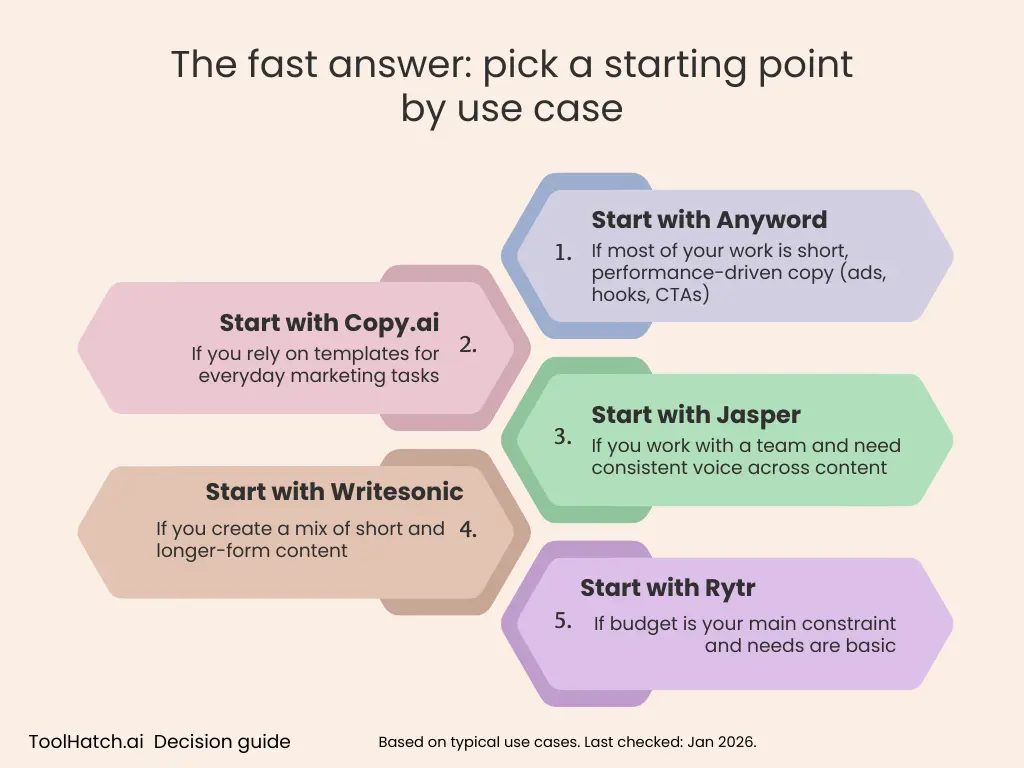
The fast answer: pick a starting point by use case
If you just want a short recommendation and a next step, use this table. It’s intentionally “best by use case,” not “best overall.”
|
If you mainly do… |
Start with |
Why this is a good first pick |
If you’re torn between… |
ToolHatch links |
|---|---|---|---|---|
|
Ad concepts, headlines, hooks, CTA variants |
Anyword |
It’s the most natural “try this first” option on this list when your world is short-form, conversion-style copy |
Anyword vs Jasper (if you also need broader content workflows) | |
|
Template-driven marketing copy across lots of formats |
Copy.ai |
Strong fit when you want structured starting points and don’t want to prompt from scratch every time |
Copy.ai vs Jasper | |
|
Team workflows and consistent voice across multiple writers |
Jasper |
A common starting point when you want a more “systematic” approach to production and consistency |
Jasper vs Copy.ai | |
|
Budget-friendly drafts for everyday tasks |
Rytr |
Sensible first stop when cost matters most and you want straightforward drafts and rewrites |
Rytr vs Copy.ai (if you want more structure/templates) | |
|
A mix of short + long-form work (including longer drafts) |
Writesonic |
Usually the one to trial first if you want one tool to cover lots of content shapes |
Jasper vs Writesonic |
If you’re still uncertain after the table, the next two sections are the tie-breakers that actually matter.
Before you buy anything: do you even need AI copywriting software?
A lot of people can get 80% of the benefit from a general chatbot (like ChatGPT or Claude) plus a few saved prompts. If that’s you, don’t force a paid tool yet.
You can often stick with a chatbot if:
- You write occasionally (not daily).
- You don’t mind prompting and doing more manual editing.
- You don’t need a repeatable workflow (brief → draft → variants → approval).
- It’s just you, and consistency isn’t a big operational problem.
A dedicated AI copywriting tool tends to be worth paying for when:
- You’re producing copy weekly (ads, emails, landing pages, product messaging).
- You need speed and consistency—especially across formats.
- You’re tired of reinventing prompts or organizing drafts.
- Multiple people are creating content and you want the outputs to feel coherent.
A simple rule: if you’re spending more time prompting, organizing, and re-prompting than editing and shipping, that’s the point where AI copywriting software starts to pay for itself.
The 5 decision criteria that don’t waste your time
1) What you write most often
Tools feel “better” or “worse” depending on what you ship.
- Ads and short-form variants → you care about fast iteration and meaningful differences between variants.
- Email sequences and lifecycle messaging → you care about tone control and consistency.
- Landing pages and longer drafts → you care about structure and staying on-topic across sections.
2) How you like to work: templates or blank page
This is the biggest day-to-day difference.
- If you want “choose a format → fill inputs → generate,” lean template-first.
- If you want “brief → draft → rewrite/iterate,” lean drafting-first.
3) Whether you’re solo or working with others
Teams care about consistency and repeatability. Solos care about speed and value.
4) How much editing you’re willing to do
If you always rewrite heavily, pick what gets you a usable first draft quickly. If you lightly edit, pick what produces clean variants without a fight.
5) Your budget reality
Ignore vague “affordable” claims and ask:
- How many pieces of copy do you ship each week?
- How much time does each one take today?
- Are you buying quality, workflow convenience, or team consistency?
Best by use case (with quick tests you can run in 10 minutes)
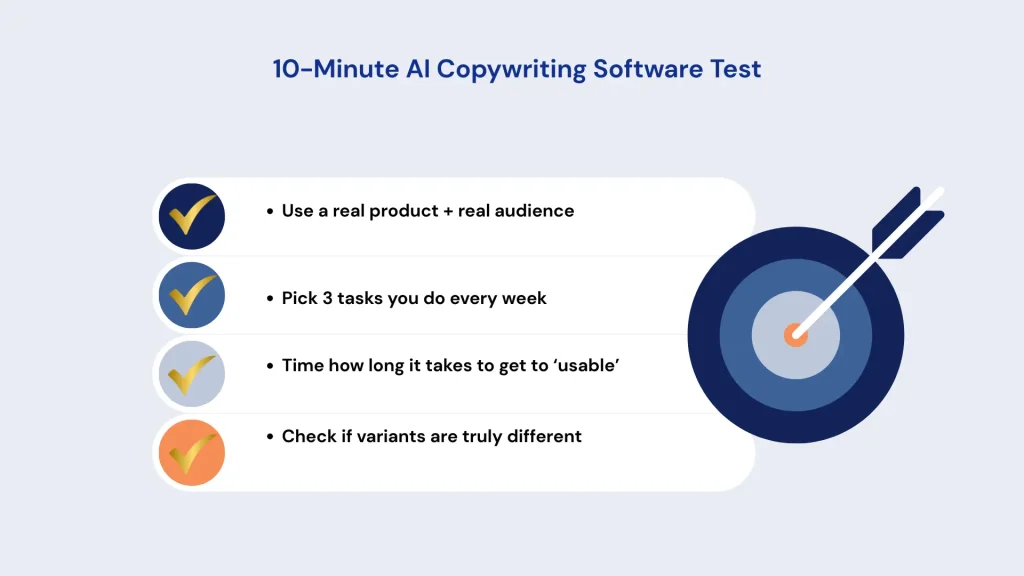
The fastest way to choose is to run a small, real test. Don’t start with a hypothetical prompt—use your actual product/service and a real audience.
If you need ad copy and lots of variants quickly
Start with: Anyword
Best for: hooks, headlines, CTAs, short-form ad angles
Not ideal if: you mainly need long-form drafting and structured content planning
10-minute test:
Take one real offer and generate:
- 10 hooks
- 10 headline variations
- 10 CTA variations
Then check: are the variations actually different, or just synonyms?
ToolHatch: /anyword-review/
If you want templates for common marketing tasks
Start with: Copy.ai
Best for: structured formats when you don’t want to engineer prompts
Not ideal if: you prefer a blank-page workflow and want tight control from a custom brief
10-minute test:
Pick 3 tasks you do weekly (example: cold email, landing headline set, social post). Generate a draft for each. If you can get to “usable” with one editing pass, that’s a strong sign.
ToolHatch: /copy-ai-review/
Related comparison: /jasper-vs-copy-ai/
If you’re optimizing for team consistency and repeatable workflows
Start with: Jasper
Best for: consistent outputs across writers and repeatable production patterns
Not ideal if: you’re cost-sensitive and only need occasional drafts
10-minute test:
Write a tiny brand brief (tone, audience, do/don’t list). Generate:
- a landing headline set
- an email intro
- a short product blurb
Then check: does it feel like the same “voice” across formats?
ToolHatch: /jasper-review/
Related comparisons: /jasper-vs-copy-ai/ • /jasper-vs-writesonic/
If your main constraint is budget
Start with: Rytr
Best for: straightforward drafts, rewrites, everyday copy tasks
Not ideal if: you need a lot of structured templates, workflows, or team features
10-minute test:
Generate:
- 5 product bullets
- 3 email subject lines
- 1 short ad concept
Measure editing time. If it saves time without creating more cleanup work, it’s doing its job.
ToolHatch: /rytr-review/
If you need a mix of short + long-form work
Start with: Writesonic
Best for: broader content output needs across multiple formats
Not ideal if: you only care about performance ads and short microcopy
10-minute test:
Generate a blog outline + two intro options, then ask for a rewrite in a different tone. You’re looking for: does it stay on-topic and maintain structure, or drift?
ToolHatch: /writesonic-review/
Related comparison: /jasper-vs-writesonic/
If you’re stuck between two tools, use these tie-breakers
Tie-breaker 1: Choose the tool that reduces prompt work
If you keep thinking, “I can get good output, but I’m tired of prompting,” go with the tool that gets you a usable draft with the least ceremony.
Tie-breaker 2: Choose the tool that matches your “content shape”
- Lots of short pieces → prioritize iteration and variant quality
- Fewer, longer pieces → prioritize structure and drafting flow
Tie-breaker 3: Choose what you’ll actually stick with
The “best” AI tool is the one you’ll use consistently. If it feels heavy on day one, it usually doesn’t become lighter.
Where “best AI writing tools” fits in
You might have started with a broad query like best AI writing tools. That search often mixes general chatbots with specialized products. This guide is narrower on purpose: it’s for choosing AI copywriting software specifically—tools you use repeatedly for marketing outputs where workflow matters.
If you’re comparing these tools more deeply, ToolHatch’s reviews and head-to-head pages are designed for that:
/jasper-review//copy-ai-review//rytr-review//writesonic-review//anyword-review//jasper-vs-copy-ai//jasper-vs-writesonic/
FAQ
What is AI copywriting software?
AI copywriting software is built to help generate and rewrite marketing text—ads, emails, landing pages, product descriptions, and social posts. Most use LLMs, but they differ in workflow, templates, and how you move from brief to draft to variants.
Is it worth paying for a tool if I already use a chatbot?
Sometimes. If you’re already fast with a chatbot and don’t mind organizing everything yourself, you may not need a dedicated tool yet. Paid tools earn their keep when you need templates, repeatability, or consistency at scale.
What’s the fastest way to evaluate AI copywriting tools?
Use your own real input and run 3–5 weekly tasks. Measure:
- time to first usable draft
- editing effort
- whether variants are meaningfully different
- whether the tool stays consistent across formats
The practical next step
Pick one starting tool from the table, run the 10-minute test, and then read the matching ToolHatch review to confirm the tradeoffs. If you’re deciding between Jasper and Copy.ai or between Jasper and Writesonic, use the comparison pages to settle it quickly.