Free Plan: No. Midjourney does not offer a permanent free plan at this time.
Free Trial: No. There is currently no official free trial available for Midjourney. The service sometimes opens up brief free trial periods or limited free test images during special events, but as of now, users must subscribe to generate images beyond any deprecated trial limits. This means you’ll need to purchase at least the Basic plan to meaningfully use the tool.
Midjourney Pricing Details
Basic Plan – $10/month: ~200 images/month (3.3 hours of Fast GPU time). This entry-level plan allows personal use of the Midjourney Bot with full quality images. It’s capped in how much you can generate quickly (you get a limited allotment of “fast” generation hours) and does not include Stealth mode (all your creations are public). Suitable for casual users or those testing the waters. (Annual option: $96/year, which averages $8/month.)
Standard Plan – $30/month: ~900 images/month (15 hours Fast GPU) + unlimited Relax mode generations. This plan is for more frequent use – you can produce images in relaxed mode without worrying about a hard cap (relaxed mode queues your jobs when servers are busy, but allows effectively infinite generations). Fast mode hours are higher, and you can switch to relax when you run out. Still no stealth privacy on this plan. (Annual: $288/year, i.e. $24/month.)
Pro Plan – $60/month: ~1,800 images/month (30 hours Fast GPU) + unlimited relax + Stealth Mode enabled. The Pro tier is aimed at professionals and serious users. It doubles the fast hours over Standard and, importantly, unlocks private generation (Stealth) so you can work without your images appearing in the public feed or Discord channels. Pro users can also run up to 12 concurrent jobs (versus 3 on lower plans) which is great for efficiency. Midjourney’s terms note that businesses making over $1M/year must use at least Pro for commercial use. (Annual: $576/year, equivalent to $48/month.)
Mega Plan – $120/month: ~3,600 images/month (60 hours Fast GPU) + unlimited relax + stealth. This top tier doubles the fast hours again and includes all Pro features. It’s designed for heavy users or large organizations that need maximum output and priority. Mega plan users get the highest limits and can generate even more concurrently. Companies above $1M in revenue are often directed to Pro or Mega if they use Midjourney heavily. (Annual: $1,152/year, i.e. $96/month.)
Extra GPU time can be purchased if you exhaust your fast hours, at roughly $4 per additional hour. All plans are subscription-based and will renew unless canceled. There is no pay-per-image option for casual one-off use; you choose a plan for the month.
Quick Take
Midjourney delivers some of the most detailed and visually striking AI-generated images available.
Generates professional-quality artwork within seconds, making it ideal for designers and creative teams.
Offers exceptional range and versatility, from realistic renders to abstract art styles.
Runs entirely through Discord, which feels efficient once learned but confusing for new users.
No free plan is available, which limits casual experimentation.
Prompting takes practice—results improve significantly with experience and clear direction.
Midjourney Verdict
Midjourney has firmly established itself as a frontrunner in the AI art generation arena. After extensive testing and use, our editors conclude that Midjourney delivers an outstanding combination of image quality, creative flexibility, and ease of use that currently outshines most competitors. The visual outputs from Midjourney are often breathtaking – whether you’re looking for a hyper-realistic render or a whimsical painting, the results feel like you hired a professional artist. This quality, however, comes at the cost of a subscription and a bit of effort learning how to craft prompts effectively.
One of Midjourney’s most impressive aspects is its consistency and improvement over time. Each new version of the model has shown leaps in capability, and the developers actively engage with the community to tweak features. In our experience, Midjourney V5 and V6 have made prompting more intuitive and outputs more accurate than earlier versions. The addition of features like outpainting (expanding images) and the describe tool indicate that Midjourney isn’t resting on its laurels – it’s evolving into a more comprehensive creative suite. Using Midjourney feels like being on the cutting edge of AI art innovation, which is exciting for artists and creatives.
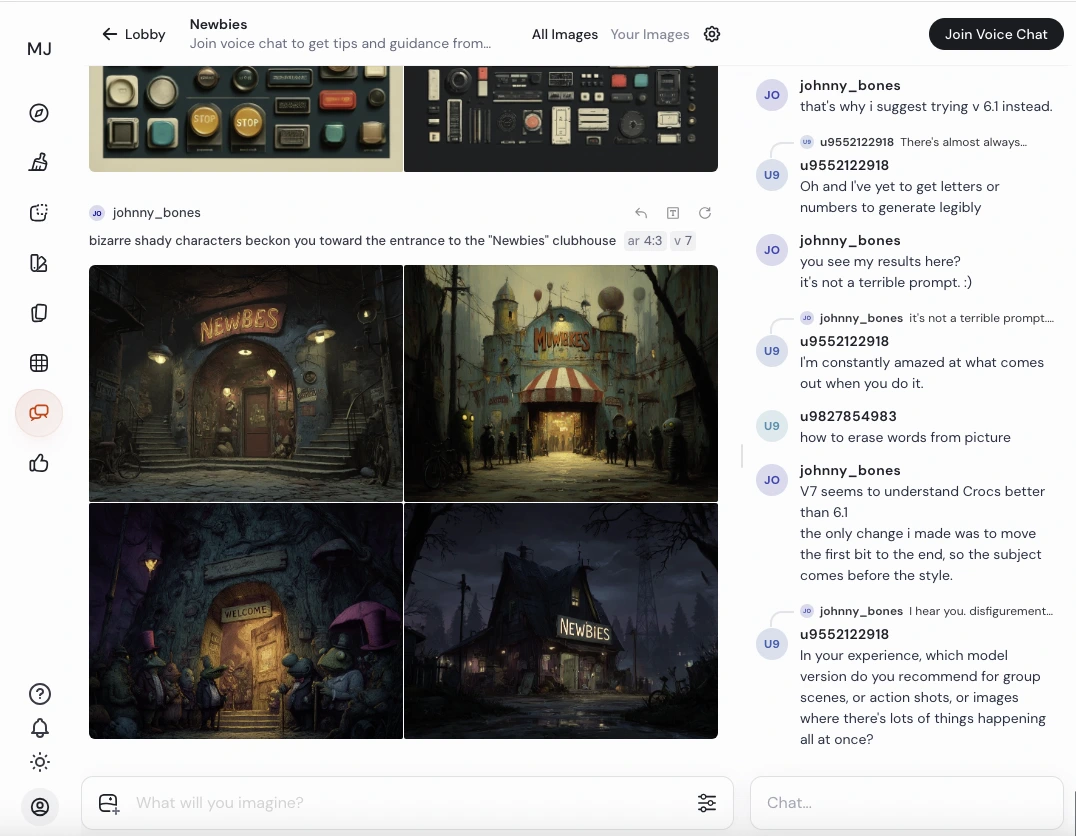
That said, Midjourney is not without its pain points. The Discord-based workflow, while second nature to some, can be off-putting to new users. There’s a certain novelty to typing /imagine commands in a chat room full of other people doing the same; it can feel chaotic and less focused than a standalone app. We found that after getting used to it, the Discord method is actually quite efficient (and even fun, thanks to the community). But we empathize with users who would prefer a private, clutter-free interface – thankfully, using a personal Discord server or DM with the bot, or the emerging web UI, mitigates this issue. Another consideration is cost: Midjourney’s value is tremendous if you regularly need custom images (hiring artists or buying stock art for each idea would be far more expensive), but for someone who just occasionally wants to dabble, the lack of a free option might be discouraging. In our view, the Basic $10/month plan is reasonable for the capability you get, but it’s a subscription nonetheless.
Comparatively, Midjourney often gets stacked against OpenAI’s DALL-E and open-source Stable Diffusion. In terms of pure image fidelity and aesthetics, Midjourney currently has the edge – our tests showed it generally produces more polished and detailed images without requiring fine-tuning by the user. It’s particularly adept at fantasy and concept art where creativity matters. DALL-E 2, while powerful, sometimes lags in artistic style, and Stable Diffusion, being open-source, requires more effort and technical skill to match Midjourney’s output (though it has other advantages like no recurring cost and full privacy). For a user who wants the best results with the least hassle, Midjourney is often the top recommendation. We also note Midjourney’s community and documentation make it approachable; you’re never alone in figuring things out.
Bottom line: Midjourney is a revolutionary tool for artists, designers, and anyone who needs to generate visuals. It turns your imagination into images with remarkable quality. The platform isn’t perfect – it’s a paid service and has a unique Discord interface – but these are relatively small trade-offs given the creative power it puts at your fingertips. Our editors give Midjourney a very high rating for its performance and impact on the creative process. If you regularly need custom imagery or just love experimenting with art, Midjourney is well worth the investment.
As of August 2025, Midjourney introduced a native video generator that produces short clips with one-click upscaling and retains the platform’s signature visual style. Early reviews highlight that it’s straightforward to use and delivers strong value relative to emerging video tools in the same price band.
Why it Matters
If you need motion assets in addition to stills, this expands Midjourney beyond images and may reduce the need for a separate video model—useful when assessing tool consolidation and budget.
Pricing gotcha: auto-renew + capped Fast GPU on Basic
Midjourney plans auto-renew by default, and the Basic tier allocates a fixed pool of Fast GPU time per billing period; once it’s depleted, you must upgrade or wait for renewal. Standard and higher tiers add Relax mode for queued, slower generations, which can mitigate hard stops but may impact turnaround during peak times.
Why it Matters
Teams budgeting for production work should map expected image volumes to plan mechanics to avoid mid-cycle slowdowns or surprise renewals. Understanding the Fast vs. Relax trade-offs helps right-size the plan for deadlines.
These insights are drawn from publicly available reviews and user feedback to highlight potential issues real users have reported.
Midjourney Pros
Exceptional Image Quality: Midjourney is widely praised for producing some of the most high-quality, detailed, and visually appealing images among AI generators. It excels at understanding complex prompts and rendering them with vibrant colors, lighting, and composition that often require minimal touch-up. For professionals looking for print-level or production-quality art, this is a huge plus.
Versatile Creative Styles: The AI demonstrates remarkable artistic versatility, handling a broad range of styles (photorealistic, illustration, fantasy, abstract, etc.) and subjects. Users can create anything from a painting that looks like Van Gogh’s work to a cinematic 3D render. This means Midjourney is suitable for diverse creative needs – whether you need a logo concept, a character design, a landscape painting, or an infographic illustration, you can likely prompt Midjourney for it. The ability to apply style prompts or even combine multiple styles offers creative freedom.
Fast and Efficient Generation: Midjourney generates images in a matter of seconds to a couple of minutes at most. In Fast mode, the response is very quick, enabling rapid iteration. This speed of output accelerates workflows – you can prototype numerous ideas in the time it would take an artist to do one draft. Even on the entry plan, the processing is relatively swift, which encourages experimentation and creative exploration without long waits.
User-Friendly (once set up): Although it runs on Discord, Midjourney’s interface is essentially a simple chat command (/imagine) which is easy to use. There’s no coding required – anyone can type a description and get images. The process is straightforward, and Midjourney provides newbie channels and guides for beginners. Many users find it intuitive after a short learning period, and the Discord bot integration means you can even use it on mobile or any device with Discord. The web interface (for members) also now allows prompt submissions, making it even easier. Overall, no artistic or technical skills are needed to create impressive art with Midjourney, lowering the barrier for entry into graphic creation.
Active Community & Support Resources: Midjourney’s huge user base (over 20 million users as of 2023) fosters a rich community. This means abundant resources: users share prompt tips, there are official forums/Discord discussions, and one can find countless tutorials, YouTube videos, and inspiration galleries. The official Discord has moderators and helpers to guide newcomers. The tool also provides documentation and an extensive FAQ. This community ecosystem is a big advantage – it’s easy to find help or inspiration if you’re stuck or looking to improve your prompt craft.
Active Community & Support Resources: Midjourney’s huge user base (over 20 million users as of 2023) fosters a rich community. This means abundant resources: users share prompt tips, there are official forums/Discord discussions, and one can find countless tutorials, YouTube videos, and inspiration galleries. The official Discord has moderators and helpers to guide newcomers. The tool also provides documentation and an extensive FAQ. This community ecosystem is a big advantage – it’s easy to find help or inspiration if you’re stuck or looking to improve your prompt craft.
Midjourney Cons
No Free Tier (Paid Only): The most immediate drawback is that Midjourney is not free to use beyond a very limited trial (if available at all). There is no ongoing free plan – anyone who wants to seriously use it must pay at least $10/month. This can be a barrier for casual users or those on tight budgets, especially compared to some competitors that offer free credits or open-source models like Stable Diffusion that are free to run (if you have the hardware). High usage can get costly, as larger plans or extra GPU hours cost more.
Discord-Based Interface: While many users adapt to it, the requirement to use Discord can be inconvenient or confusing for some. If you’re not familiar with Discord, the process of joining servers and entering bot commands might feel non-intuitive at first. There is no dedicated Midjourney mobile or desktop app, and the web interface is still limited. Thus, the reliance on Discord might frustrate users who prefer standalone software or simpler web app usage. (On the flip side, Discord integration is seamless for those who already use it, but it’s a con for those who don’t.)
Steep Learning Curve for Perfect Results: Getting an image out of Midjourney is easy, but mastering prompt engineering to get exactly the image you envision can take time. New users may face a learning curve figuring out how to phrase prompts, use parameters, or iterate effectively. Sometimes the AI can misinterpret prompts or produce unexpected outputs, requiring users to refine their descriptions. There’s also a bit of luck involved in whether a given prompt produces a great result or an average one. So, while basic use is straightforward, achieving professional, specific outcomes reliably requires practice and experimentation (which ties back to needing a subscription – you might burn through hours learning).
Unpredictability and Control Limitations: Midjourney, like any generative model, can be somewhat unpredictable. You might have a specific image in mind, but the result could differ, and you may need several attempts to nail it. Complex compositions (e.g., multiple people doing specific actions) can sometimes come out with mistakes or require very detailed prompts. Users cannot directly fine-tune the model or enforce strict constraints, so certain use cases (like generating the same character consistently across images, or getting exact text in an image) are challenging. This lack of absolute control can be a con if you need highly specific outputs. (Midjourney has improved prompt accuracy over versions, but it still has limits, e.g., handling of textual content in images or precise layouts can be hit-or-miss.)
Limited Content Types (Image-only, minor video): Midjourney is specialized in image generation. It doesn’t natively create other content types (aside from a very limited short video feature in newer versions, which produces a few-second animation and is available only in relax mode on certain plans). If your needs extend beyond still images – say you want to generate long videos, or you need text generation/copywriting alongside – Midjourney won’t cover those. You would need separate tools for text or audio. So it’s not a multi-modal AI assistant; it’s focused on visual art.
Support and Account Management Issues: Some users have reported less-than-stellar customer support from Midjourney’s team when issues arise. There’s no live support channel; you largely rely on community help or support tickets. Additionally, since it’s a fast-growing service, there have been instances of growing pains (like server overloads, or the decision to shut down free trial suddenly). Account management (billing, switching plans, canceling) is self-service via the website, which generally works, but any billing mishaps might take time to resolve. Overall, the support infrastructure isn’t as robust as one might expect from an enterprise software – understandable for a newer startup, but a con if you run into problems.
Content Restrictions: (Minor con, but worth noting) Midjourney has content guidelines – it disallows certain types of prompts (e.g., explicit pornography, gore, or some political content) and will block or ban users who attempt them. While these policies are important for ethical AI use, it does mean the tool can’t be used for any imagery. If you try to generate disallowed content, you’ll be stopped. For most users this isn’t an issue, but if your creative project borders on the restricted categories, Midjourney won’t serve you. Additionally, the model may exhibit biases (e.g., generating certain demographics or styles more readily) reflecting its training data, which can be a limitation depending on your project.
Honest Midjourney Review – What You Need to Know Before You Start
Tool Summary: Midjourney is an AI image generator that transforms text prompts into high-quality artwork within seconds. In this Midjourney review, we find that the tool leverages cutting-edge generative AI to produce stunning visuals, making it popular among artists, designers, and content creators. It’s hosted by an independent research lab (Midjourney, Inc. in San Francisco) and is primarily accessed through a Discord-based interface. Midjourney stands out for its rich variety of artistic styles and the fidelity of its outputs, often surpassing alternative AI art generators in detail and creativity. However, it operates on a subscription model – there’s currently no free plan or ongoing trial– meaning users must pay to fully unlock its capabilities. Overall, Midjourney offers one of the most powerful text-to-image solutions available, provided you’re willing to invest time in learning prompt craft and budget for a subscription.
Midjourney Features & Capabilities
Text-to-Image Generation
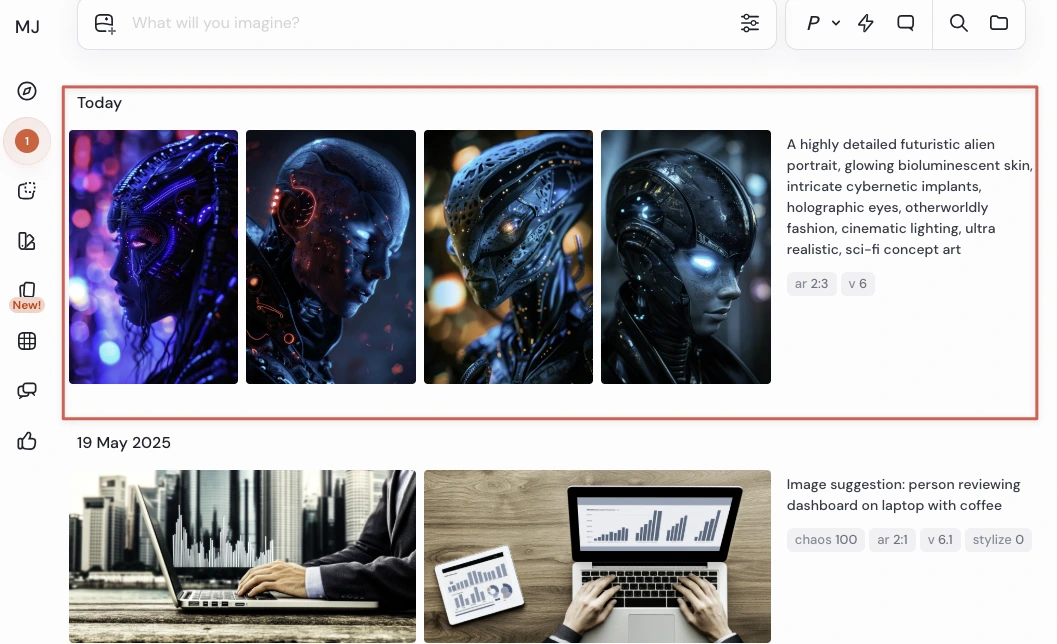
Simply describe an image in words, and Midjourney’s AI will generate a corresponding picture. You can enter a prompt ranging from a single word to a detailed scene description, and the engine will produce usually four initial image variations. This core feature makes it straightforward to turn imaginative ideas or design briefs into visual drafts within minutes.
Artistic Style Customization
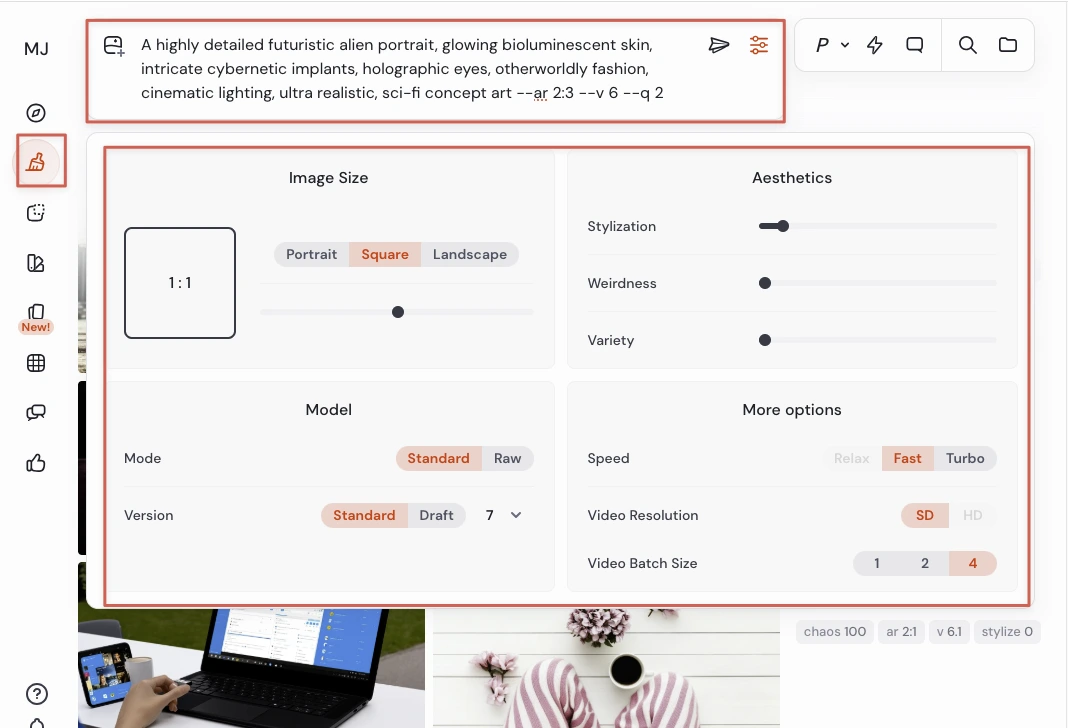
Midjourney supports a wide range of art styles and customization parameters. Users can guide the output by adding style keywords (e.g. “in watercolor style” or “cinematic lighting”) and using parameters like –style or aspect ratios. The platform can mimic specific aesthetics or even famous artists’ styles, giving you control over the look and feel of the generated image. This versatility lets professionals create images in styles from realistic photography to abstract painting.
High-Resolution Outputs
Images can be upscaled to high resolutions suitable for many digital uses. Midjourney V5/V6 models produce base images around 1024×1024, and the upscaler can increase resolution up to about 1792×1024 pixels (for a 16:9 aspect ratio, or similar ~1.8 megapixel) in the default workflow. These high-res outputs contain plenty of detail, allowing prints or large-screen use. (For example, many Midjourney images are detailed enough for posters or full-page illustrations after upscaling.)
Variations & Refinement Tools
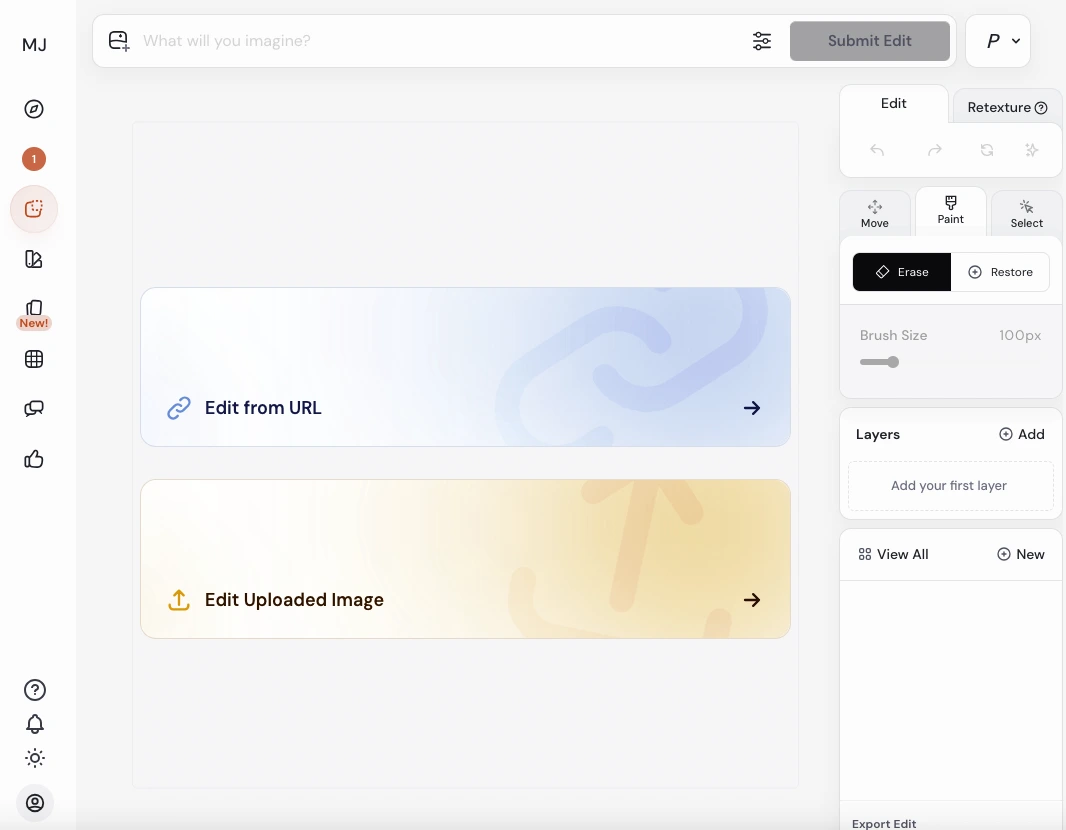
Midjourney provides powerful refinement features to iterate on your results. You can upscale an image for finer detail or ask for variations of a chosen output to explore slight tweaks. Recently, Midjourney introduced outpainting and “pan/zoom” features that allow you to extend an image beyond its original borders – generating new background or surrounding elements to enlarge the scene. This outpainting capability (similar to Adobe’s Generative Fill) helps create larger compositions from an initial image. Additionally, a /describe command analyzes an input image and suggests textual prompts, effectively an image-to-text feature that identifies objects and elements in your image. These tools enable a creative feedback loop: you generate an image, refine or expand it, and even use generated images to inspire new prompts.
Community and Collaboration
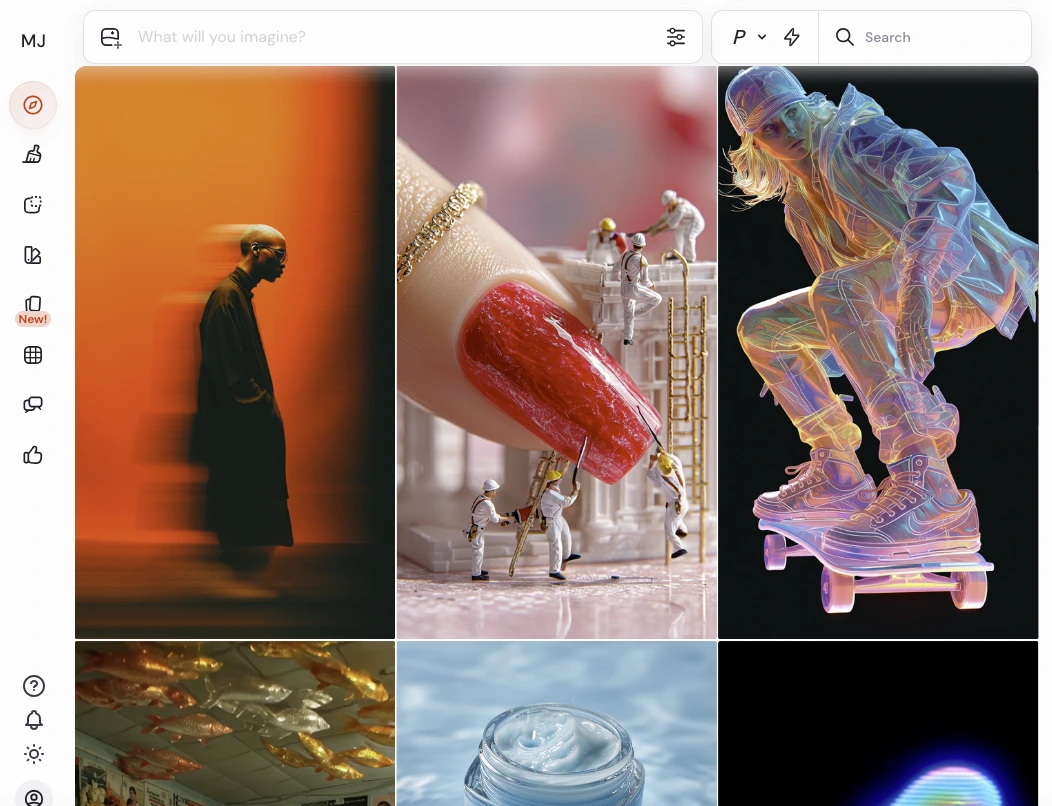
All Midjourney generations occur via Discord, meaning users share spaces and can see each other’s creations (in public channels). There is an active community aspect: you can join Midjourney’s official Discord with millions of members, where you not only generate images but also observe others’ prompts and results for inspiration. You can favorite or upscale images made by others if the bot is in a shared channel. This social feature doubles as learning – new users quickly pick up advanced prompt techniques by watching the community. Midjourney’s website also features an Explore feed/gallery of public images. While not a traditional “feature” like a button, this communal setup is a key part of the Midjourney experience and fuels creativity through collaboration and sharing.
Continuous Updates
The Midjourney team frequently updates the service with new model versions, features, and improvements. Subscribers automatically get access to the latest model (you can usually choose among model versions v4, v5, etc., but the newest tends to yield the best results). For example, within a year, Midjourney went from v4 to v5 and v5.1/v5.2, and now v6, each bringing enhancements in image quality and prompt understanding. New features like the web-based interface, the describe tool, or improved upscaling are rolled out to keep the platform at the cutting edge. This commitment to continuous development means the tool’s capabilities are expanding regularly, giving users more value over time.
Developer / Company
Midjourney, Inc. – An independent research lab founded by David Holz (co-founder of Leap Motion). The team is based in San Francisco and has been operating Midjourney since 2022 in open beta.
Launch Date
Open beta began July 2022, and it quickly gained popularity through that summer. Midjourney has been continuously updated (v1 through v6) since launch.
User Base
Over 20 million users as of 2023, making it one of the largest AI art communities. The official Discord server hosts a massive community, and many more users run the bot in private servers.
Underlying Model
Proprietary diffusion-based text-to-image model, currently Midjourney Version 6.1 (latest at time of writing). Earlier versions (v4, v5, etc.) are still accessible. The model was likely trained on a broad dataset of images and text descriptions (details not publicly released). It uses Natural Language Processing to parse prompts and then generates images via iterative diffusion (transforming random noise into coherent images that match the prompt).
Input Methods
Text prompts (up to a certain length) entered via Discord command. Supports adding one or more image URLs or uploads as input alongside text to guide the generation (this is the “image prompt” feature). Various parameters (aspect ratio, stylize value, quality, etc.) can be set in the prompt.
Output
Four image grid per prompt (by default) in PNG/JPEG format. Users can upscale any image to a single higher-res output (~1024px or higher on the long side by default), or make variations. The final upscaled images can be downloaded as PNG files. Midjourney also introduced a short animated video output (about 4 seconds) when using the /shorten or certain commands in relax mode, but this is an experimental feature for now (SD video in Standard plan, HD in Pro/Mega as per features).
Max Resolution
The standard upscale produces ~1664×1664 for 1:1 images in V5. With custom aspect ratios, you can get up to ~2048 px on the long side (for example, 2:3 or 16:9 images). The site mentions 1792×1024 as a typical high-res output for wide images. There’s also a Light Upscale vs Detailed Upscale option – detailed gives slightly larger, more refined images. No ultra-high resolution beyond ~2K is currently possible directly, though users sometimes upscale externally if needed.
Concurrent Jobs
Basic/Standard can run 3 jobs concurrently, Pro/Mega up to 12 concurrently (plus additional in relax mode queues). This affects how many images you can generate at the same time in fast mode, useful for power users.
Platform
Runs on Discord (works on any OS that can run Discord). There is also the Midjourney web interface which requires Discord login and mainly allows browsing and some prompt submission. No offline or local version is available (unlike open-source Stable Diffusion which you can self-host).
Content & Licensing
By subscribing, users get general commercial usage rights for images they create (with the caveat that if your business makes > $1M/year, you should be on Pro plan for the license). Without a subscription, images were only non-commercial. Midjourney’s terms require giving attribution if you publicly use images and are not a paid member (although with no free use now, effectively all active users are paid). Also, Midjourney may use generated images for research or marketing, and images are by default in the public gallery unless made private.
Moderation
Midjourney has an AI moderation filter – certain keywords or prompt themes are banned or restricted (e.g., sexual content, extreme gore, certain political figures/events). Attempting these can result in a warning or ban. There’s also a rating system: users can rate images which can earn you free GPU time in small amounts, encouraging community engagement.
Additional Features
t supports adding weighting to prompt parts, using emoji in prompts, and other advanced prompt syntax. There’s also a /shorten command to help trim or analyze prompts, and the /describe command as noted. The bot provides a help command and info on your usage (how many hours used, etc.).
Inside Midjourney
Midjourney Use Cases
Graphic Design & Concept Art: Create unique artwork, concept designs, or illustrations without traditional drawing skills. Artists and game developers use Midjourney to draft character concepts, environments, and mood boards rapidly.
Content Creation & Marketing: Generate eye-catching visuals for social media posts, blog articles, advertisements, and marketing campaigns. For example, content creators can produce custom blog images or YouTube thumbnails, and marketers can design campaign graphics or product mockups on the fly.
Brainstorming & Ideation: Use Midjourney as a creative aid to explore ideas. Writers and storytellers visualize characters or scenes for inspiration, while product designers might prototype how an object could look. The AI often introduces unexpected but insightful artistic elements that spark new ideas.
Publishing & Illustration: Authors and publishers can quickly create book cover art or chapter illustrations, saving cost on initial drafts. Educators and students have also used Midjourney to generate images for presentations, infographics or educational materials, making abstract concepts more tangible.
Personal Projects & Hobby Art: Hobbyists use Midjourney to bring their imagination to life – from fantasy art for D&D campaigns to custom wallpapers and avatar images. It’s a fun tool for anyone wanting to experiment with artistic AI without needing formal art training.
Midjourney Is Ideal For
Individual Creatives and Hobbyists: Anyone with imaginative ideas but without the artistic skills or tools to realize them. Midjourney is perfect for solo content creators, bloggers, or hobbyists who want custom images (for a story, a personal project, social media posts, etc.). If you love experimenting with art or need a quick illustration for your personal blog, Midjourney provides that creative outlet. Essentially, it empowers non-artists to produce art.
Designers, Artists, and Marketing Professionals: Graphic designers, digital artists, illustrators, and art directors can use Midjourney as a powerful ideation and production tool. It speeds up concept development for projects – e.g. generating multiple logo concepts, storyboards, or style frames to present to a client. Marketers and advertisers can create visuals for campaigns without hiring a photographer or artist for each draft. Even experienced artists use Midjourney to overcome creative blocks or to quickly prototype compositions which they then refine. For professionals, Midjourney is a productivity booster in the creative workflow.
Businesses and Teams in Creative Fields: Small businesses, startups, or even larger enterprises that require a steady output of images can benefit. For instance, a game development studio can use Midjourney for concept art and world-building ideas. An e-commerce business might use it to generate backdrop graphics or illustrative content for marketing. Midjourney’s Pro and Mega plans cater to heavier usage and even allow companies (especially those with >$1M revenue) to use images commercially with the proper subscription. It’s also useful in educational and research contexts – e.g., a school media lab or a research team exploring AI-generated design can leverage Midjourney. Essentially, any team that needs custom visuals and wants to save time/money in the early creative phase is part of Midjourney’s core user base.
Parinaz Kallick is the founder of ToolHatch.ai. With a background in data engineering and analytics delivering projects for Fortune 500 companies—and firsthand experience as a solo founder—she helps creators and small businesses cut through the AI noise and execute with confidence.